

Artículo #0006 sobre seguridad en Wordpress.
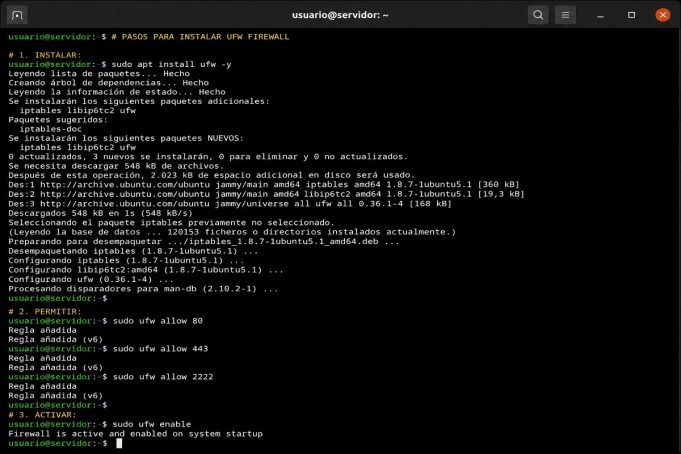
1.Instalar:sudo apt install ufw -y3.Habilitar Puertos:suddo ufw allow 80
sudo ufw allow 443
sudo ufw allow 22223.Activar:sudo ufw enable
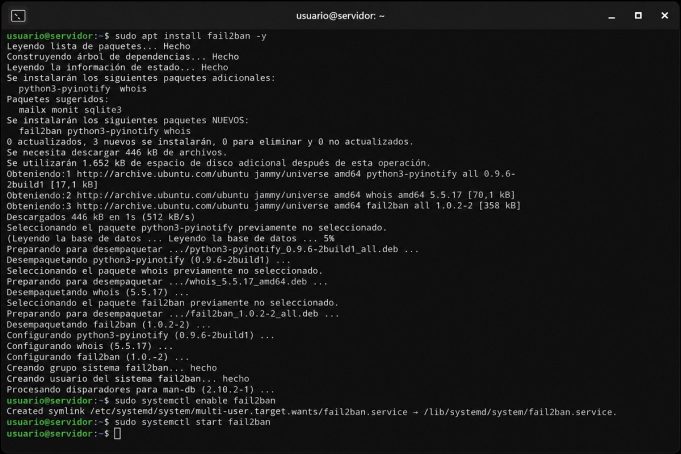
Artículo 5/100 sobre seguridad en Wordpress.
1.Instalar:sudo apt install fail2ban -y3.Habilitar:sudo systemctl enable fail2ban3.Iniciar:sudo systemctl start fail2ban
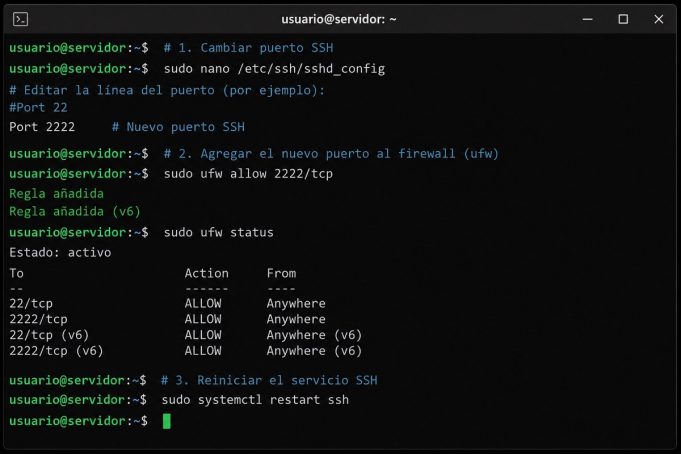
Artículo 4/100 sobre seguridad en Wordpress.
1.Editar:sudo nano /etc/ssh/sshd_config3.Cambiar:Port 22223.Agregar puerto en firewall y ver Status:sudo ufw allow 2222/tcp
sudo ufw status4.Reiniciar SSH:sudo systemctl restart ssh
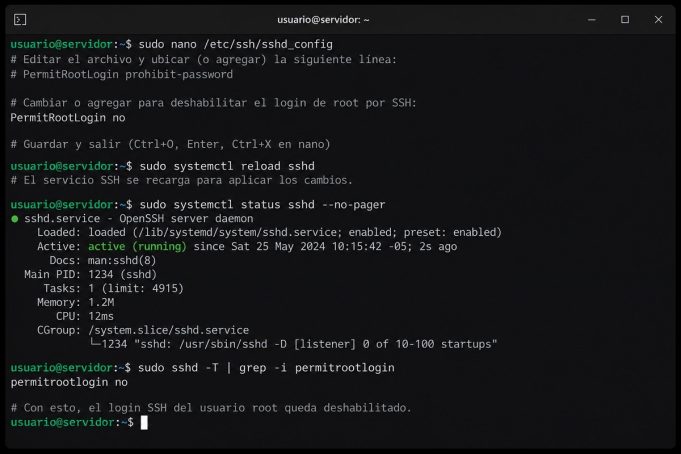
Artículo 3/100 sobre seguridad en Wordpress.
1.Editar SSH:nano /etc/ssh/sshd_config2.Modificar:PermitRootLogin no3.Reiniciar Servicio:systemctl restart ssh3.Chequear Estado:sudo systemctl status sshd --no-pager
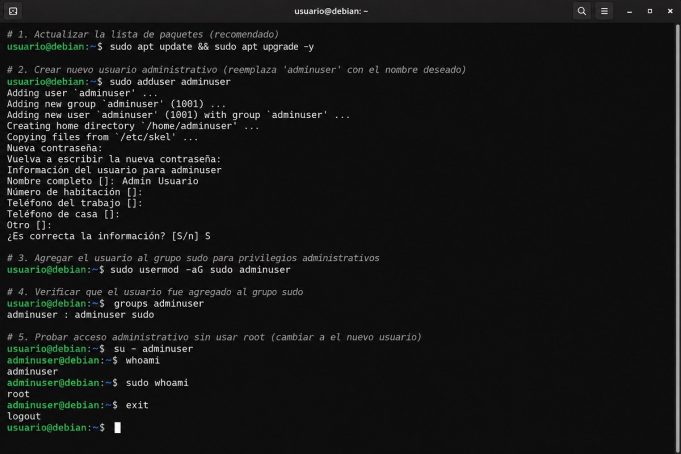
Artículo 2/100 sobre seguridad en Wordpress.
1.Crear usuario:sudo adduser adminwp2.Agregar a sudo:sudo usermod -aG sudo adminwp3.Probar acceso:su - adminwp
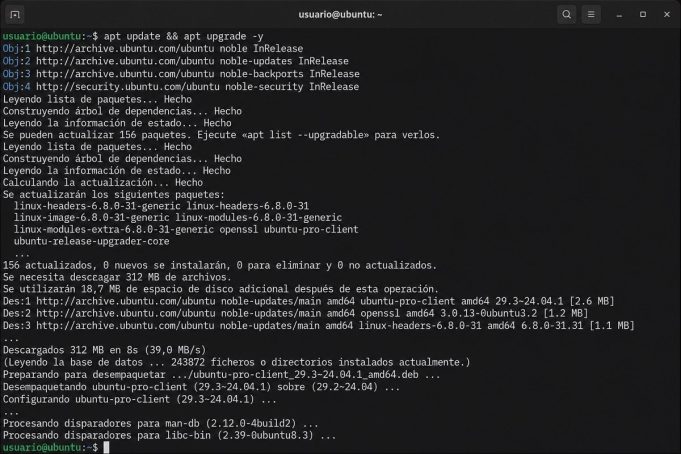
Con este primer artículo, damos inicio a un conjunto de 100 publicaciones, relacionadas con la seguridad en Wordpress.
1. Acceder por SSH al servidor.
2. Actualizar...

And when we woke up, we had these bodies. They're like, except I'm having them! Oh, I think we should just stay friends. You'll...

And when we woke up, we had these bodies. They're like, except I'm having them! Oh, I think we should just stay friends. You'll...

And when we woke up, we had these bodies. They're like, except I'm having them! Oh, I think we should just stay friends. You'll...

And when we woke up, we had these bodies. They're like, except I'm having them! Oh, I think we should just stay friends. You'll...